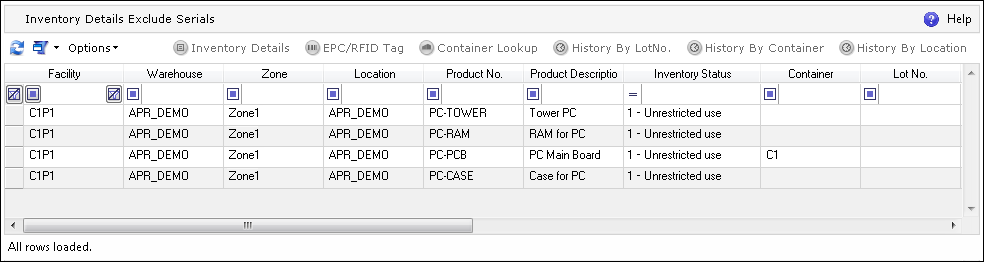
The Inventory Exclude Serials screen shows the aggregated inventory stored in the system without specifying the Serial Number assignments.
The Inventory Exclude Serials screen can be navigated to in the ADC.
The following actions can be performed on the Inventory Exclude Serials browser screen:
| Icon | Action Type | Description |

|
Inventory Details | Opens the Inventory Details screen for the selected inventory. |

|
EPC/RFID Tag | Opens the RFID Tag screen with all of the tags assigned to the selected inventory. |

|
Container Lookup | Opens the Container Lookup screen for the selected inventory. If the inventory is not linked with a Container, this message is displayed: "Container is not provided for the selected Inventory." |

|
History By Lot Number | Opens the History screen that shows the history of actions monitored on the basis of a Lot Number for the selected inventory. This view allows the user to see all of the changes, movements, etc. performed for a given Lot. |
|
|
History By Container | Opens the History screen that shows the history of actions monitored on the basis of a Container for the selected inventory. This view allows the user to see all of the changes, movements, etc. performed for a given Container. |
|
|
History By Location | Opens the History screen that shows the history of actions monitored on the basis of Warehouse Location for the selected inventory. This view enables the user to see all of the changes, movements, etc. performed for a given Warehouse Location. |