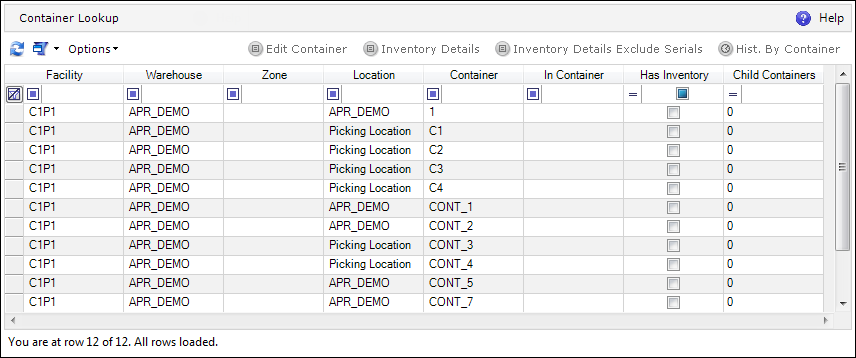
The Container Lookup screen lists all of the Containers along with information on their locations, whether they hold inventory, and whether they have child or parent Containers. It also enables viewing the inventory for a given Container.
The Container Lookup screen can be navigated to in the ADC.
The following actions can be performed on the Container Lookup browser screen:
| Icon | Action Type | Description |

|
Edit Container | Opens the Container editor, where properties of the given Container can be viewed and/or edited. |
|
|
Inventory Details | Opens the Inventory Details screen for the selected Container. |
|
|
Inventory Details Exclude Serials | Opens the Inventory Details Exclude Serials screen for the selected Container. |

|
History By Container | Opens the History screen showing the history of actions monitored on the basis of the selected Container. This view allows the user to see all of the changes, movements, etc. performed for a given Container. |