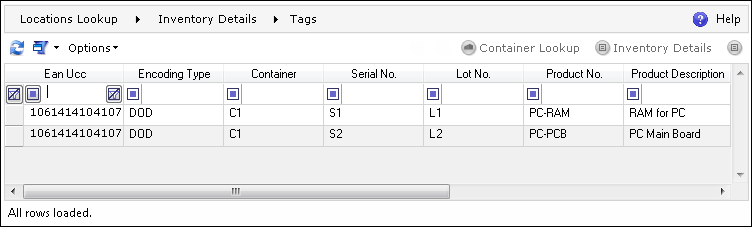
The EPC/RFID Tag screen lists all of the tags present in the system. It also enables viewing the inventory and Containers linked with a given tag.
The EPC/RFID screen can be navigated to in the DELMIA Apriso Desktop Client.
The following actions can be performed on the EPC/RFID Tag browser screen:
| Icon | Action Type | Description |

|
Properties | Opens the EPC Tag Properties screen, where it is possible to view and/or change the properties of a given tag. For more information, please refer to the EPC Tag Properties topic in the Electronic Product Code Help. |

|
Container Lookup | Opens the Container Lookup screen for the selected tag. |
|
|
Inventory Details | Opens the Inventory Details screen with inventory that meets the parameters set for the selected tag. |