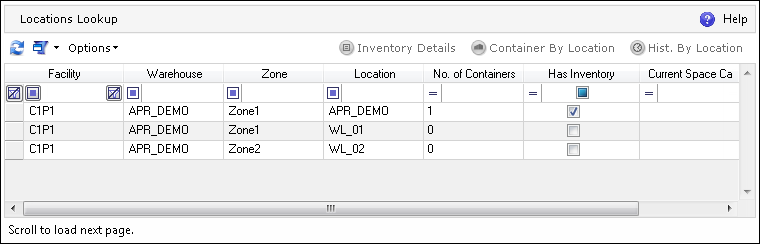
Location Lookup lists all of the Warehouse Locations in the system along with information on the number of Containers in a location, whether or not the location holds inventory, and the current space and weight capacity for the location. It also allows the user to view the inventory for a given Warehouse Location.
The Location Lookup screen can be navigated to in the ADC.
The following actions can be performed on the Location Lookup browser screen:
| Icon | Action Type | Description |

|
Inventory Details | Opens the Inventory Details screen for the selected location. |

|
Container By Location | Opens the Container Lookup screen with a list of Containers in the selected location. |

|
History By Location | Opens the History screen showing the history of actions monitored on the basis of the selected Warehouse Location. This view allows the user to see all of the changes, movements, etc. performed for a given Warehouse Location. |