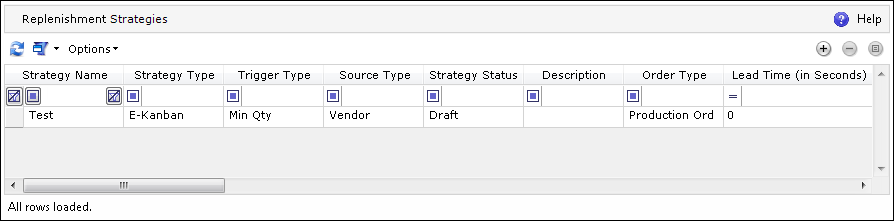
A Replenishment Strategy defines how Replenishment will work with particular locations. A location can be a variety of sources and targets, including vendors.
A strategy does not track a Replenishment process. Based on a strategy, Kanban Cards can be created that will be responsible for tracking a particular Replenishment process. For more information, please see Kanban Cards Monitoring Dashboard as well as the Replenishment Implementation Guide.
In the Replenishment Strategies browser, a list of strategies appears.
To add a new Replenishment
Strategy, click  (Add). In the Replenishment Strategy
Properties screen that appears, there are various parameters that can
be defined under several tabs. All of these parameters are used by the
Business Components later for creating, working on, and processing Kanban
Cards. For more information on the Replenishment Business Components,
please see the Replenishment
Implementation Guide and
the Business Components
Documentation.
(Add). In the Replenishment Strategy
Properties screen that appears, there are various parameters that can
be defined under several tabs. All of these parameters are used by the
Business Components later for creating, working on, and processing Kanban
Cards. For more information on the Replenishment Business Components,
please see the Replenishment
Implementation Guide and
the Business Components
Documentation.
The browser is divided into four sections: